
How the Three Mobile Options Differ
Public 4rabet material mentions access on iOS and Android. The iPhone steps also show how to save the website from Safari to the home screen. That makes a web shortcut or web app. It is not necessarily a download from the App Store. An Android APK, meanwhile, is a package you install rather than a saved site link.
| Mobile Option | What It Opens | Details to Confirm |
|---|---|---|
| Phone browser | The website in your browser | Address, session and account functions |
| Android APK | Android software to install | Source, publisher, permissions and future updates |
| iPhone home-screen entry | Web app or saved shortcut | Address behind the icon and how the browser handles it |
Changing how you open the service does not change eligibility, promotion terms or the Indian legal framework. A logo does not establish a licence. Similarly, a file you can download does not prove the service is authorised where you are.
Check the Origin of an Android Package
Find the source and publisher before trusting an APK. Search engines can surface old builds, copies or unauthorised sites that use the brand name. HTTPS encrypts the connection that delivers the file. That alone cannot establish the safety of the package.
Look at the permissions before installing. An unrelated remote-control tool should not be needed to use a gambling interface. Support should never ask for control of your device. Stay away from packages labelled “mod”, “predictor” or “unlimited balance”. Those descriptions do not show that the actual game outcomes have improved.
We list no unverified installer and do not recommend disabling protection on the device. If you cannot establish a distribution channel or the phone flags the file, stop there. Testing other claimants is not a substitute for checking the source.
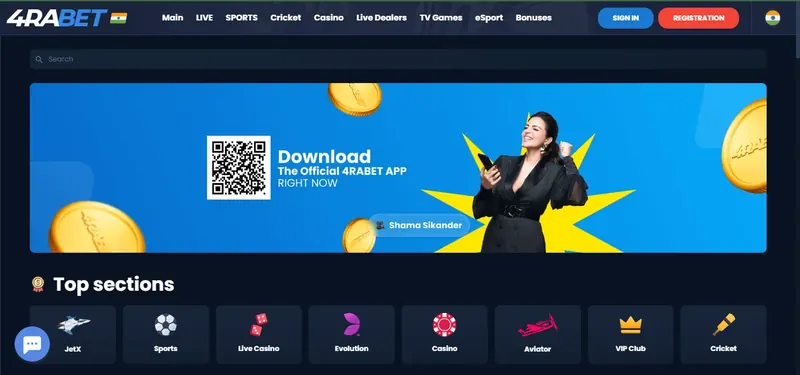
What an iPhone Shortcut Actually Does
Saving the site as an icon makes it easier to reopen. It still needs a connection, the underlying website and a valid session. Deleting the icon can leave your account and browsing data in place. Signing out is a separate action from removing the shortcut.
An “iOS app” label can point to a listing, Safari setup instructions or a configuration profile. Check the target rather than assuming it is a native iPhone app. Each route relies on different trust checks. Do not install a profile of unknown origin merely to add an icon.
Cookie controls, privacy settings and session expiry can each affect access. The guide to account recovery explains the route back without sharing a code or opening a duplicate profile.
Keep Using Your Original Account on Mobile
Changing devices should not mean another registration or a second welcome offer. Choose the sign-in option for the email, phone or ID already linked to your account. Once you get in, check that the displayed profile is yours.
Look for the separate cash and bonus entries. On a small display, the explanatory text may be in a folded panel or behind the balance selector. Check the details before reading any total as available to withdraw. The guide to bonus conditions describes why each type of balance can have a different rule.
After replacing a SIM or phone, use the authenticated settings or support procedure to update your contact information. A code being sent to an old number is not grounds for submitting another identity.
Diagnose Display, Connection and Sign-In Problems
Note exactly what is failing. A hidden menu, an old balance, an unloaded game and a rejected password can each come from a different issue. Save the model, browser or app version if available and the exact error. Hide private account details if you take a picture.
- Test an unrelated site through the same network first.
- If memory is low, close other tabs or unused apps.
- Use the browser’s regular update channel to install available updates.
- Read the existing account record before trying a payment again.
- Use verified support for a problem that continues.
A screen that updates slowly does not establish that the payment failed. Tapping repeatedly can create more than one request or make the records harder to interpret. Save the reference and check the bank and account records before repeating anything.
A notice about your location can be an access rule. A new address, VPN or altered package does not change that rule or make it an ordinary display problem.
Notifications, Storage and Account Privacy
Alerts about promotions can make routine messages sound urgent. Review which notifications the phone allows. Turn off unwanted adverts and, where you can, retain security alerts separately. Use a lock screen, and sign out rather than leaving a session active on a shared phone.
File size and supported Android versions can change with each release. Read the current details at the verified source before choosing a device or clearing space. A figure from an old guide does not establish the size of this build. This page makes no claim to have measured performance or tested a specific release.
Uninstalling often removes the package from the phone while leaving account records, transactions and obligations in place. Use the account closure process if you want to close it. Save relevant records and, for a balance or transfer that is still outstanding, refer to the guide to withdrawals and verified support instead of cycling through installs.
Checking an Android Installer and Its Updates
An APK contains an Android app installer. That is a separate option from using the browser or putting a link to the site on a home screen. Follow the operator’s own app link to identify its current Android package. Check the current publisher and release before saving the file, since both app pages and builds can change.
See the operator’s app information ↗
| Check on the App Page | Reason |
|---|---|
| Named product and publisher | Confirm that the distributor actually identifies the app and the expected company. |
| Supported devices and Android releases | The build’s requirements do not necessarily match an earlier version or another handset. |
| App release and launch date | The build and its size change. An older article cannot establish the current release. |
| Permissions and installation warnings | Read the requested access and the security messages from Android. |
| Where later builds come from | Return to the operator’s distribution page for updates. |
Verifying the Package Before Installing
- Find the Android entry on the operator’s current app page and read its instructions.
- Check the handset requirements, release and product name before saving anything.
- Open a trusted download and read the prompts Android shows. If anything differs from the official description, halt the installation.
- Use the same verified channel for updates and read the new version details.
Android can ask if your browser may install an APK. Read the prompt and continue only if you understand it and trust the file’s origin. Do not turn protections off to make a blocked install run. While you investigate the publisher’s identity, the website may be the available route.
Neither a filename, picture nor search result verifies the app author. Android’s information about signing packages and identifying applicationsexplains the general concepts. It cannot validate a 4rabet package in particular.
Comparing Current and Earlier Versions
| What You Are Looking For | Evidence to Use | What It Cannot Establish |
|---|---|---|
| Current release of the 4rabet app | The release details at the verified distribution source | The year in a search result cannot confirm a release number |
| An earlier build of the 4rabet APK | Device compatibility and whether the operator maintains it | Being older does not make a package safe or compatible |
| Original 4rabet software | Known publisher, source and consistent signing information | A copied logo or similar filename does not identify the developer |
| An update for 4rabet | Known distribution route and the existing app’s identity | A prompt demanding a download is not proof of a valid update |
The correct file size, requirements and controls depend on the released build. Read that build’s details rather than trusting a repeated specification. An older unofficial APK cannot fix a location restriction or server-side sign-in. Keep access to account recovery before updating. An update does not call for a second registration.
Installing, Updating and Removing the App
- Getting ready: confirm the publisher and file origin, and check whether the handset meets storage and Android requirements.
- Reading the Android prompts: check the permissions. If device protection flags the file, stop instead of bypassing the warning.
- Once the app opens: view its app information and sign in to the original account. Do not open another one as a test.
- Updating a build: check the verified distribution page. An unexplained signing or package mismatch is a question for the publisher, not a reason to try a file from another site.
- Uninstalling: select the app in Settings under Apps and choose Uninstall. Removing the installer does not close your account.
| What Went Wrong | Details to Inspect | How to Proceed |
|---|---|---|
| File transfer stopped before completion | Available space, network and file status | If trying again, use only the known source |
| Installation rejected or package conflict | Device support and identity of any installed copy | Check with the publisher before swapping packages |
| Sign-in is rejected after the app loads | Error text, registered ID and password | Follow the steps for account recovery |
| App shuts down after an update | Handset, operating system and new release | Restart, then report the exact error securely |
| Cached screen or payment status does not move | Payment ID and ledger entries | Read the existing record before tapping the payment again |
Clear cache and Clear storage are different controls. Erasing storage may delete sessions and settings, so confirm how you can sign in again. Neither command stops a pending transaction. An uninstall cannot withdraw money or remove records held by the operator.
Checking an Android Installer and Its Updates
An APK contains an Android app installer. That is a separate option from using the browser or putting a link to the site on a home screen. Follow the operator’s own app link to identify its current Android package. Check the current publisher and release before saving the file, since both app pages and builds can change.
See the operator’s app information ↗
| Check on the App Page | Reason |
|---|---|
| Named product and publisher | Confirm that the distributor actually identifies the app and the expected company. |
| Supported devices and Android releases | The build’s requirements do not necessarily match an earlier version or another handset. |
| App release and launch date | The build and its size change. An older article cannot establish the current release. |
| Permissions and installation warnings | Read the requested access and the security messages from Android. |
| Where later builds come from | Return to the operator’s distribution page for updates. |
Verifying the Package Before Installing
- Find the Android entry on the operator’s current app page and read its instructions.
- Check the handset requirements, release and product name before saving anything.
- Open a trusted download and read the prompts Android shows. If anything differs from the official description, halt the installation.
- Use the same verified channel for updates and read the new version details.
Android can ask if your browser may install an APK. Read the prompt and continue only if you understand it and trust the file’s origin. Do not turn protections off to make a blocked install run. While you investigate the publisher’s identity, the website may be the available route.
Neither a filename, picture nor search result verifies the app author. Android’s information about signing packages and identifying applicationsexplains the general concepts. It cannot validate a 4rabet package in particular.
Common Questions About Mobile Access
Is a home-screen icon the same thing as an App Store release?
Safari’s Add to Home Screen can create a shortcut or web app. That alone does not establish that there is a native version in the App Store.
Can changing the software get around an Indian restriction?
The way you access the interface does not change the law or the rules for your account.
Can I use the same details on my phone?
Keep the account you already have. If the login stops working, follow its recovery steps.
What happens to my account when I uninstall?
Removing software usually leaves your account open. To close it, follow the operator’s account procedure.
How can I identify the source for an original APK?
Read the operator’s own app page for its Android distribution source. This guide neither hosts a verified package nor claims to have tested a 4rabet release.
Which version of the app is current?
We have not independently confirmed a release number. Compare the original publisher’s current information with Android’s App info screen.
Is an earlier installer a good way to fix an error?
An unofficial downgrade is not a general repair. Check the exact problem, phone support and the publisher’s current build first.